> ## Documentation Index
> Fetch the complete documentation index at: https://docs.pictum.dev/llms.txt
> Use this file to discover all available pages before exploring further.
# QR codes
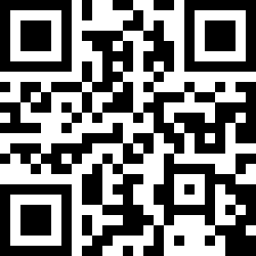
> Turn text and URLs into deterministic SVG, PNG, or WebP QR codes.
Framework integrations provide a QrCode component, and every integration can generate QR code URLs or SVG markup through its `qrCode()` helper.
## Render a QR code
Pass the text or URL to encode through `value`. Integrations handle the API's Base64 encoding automatically.
```tsx React theme={null}
import { QrCode } from "@pictum/react";
```
```vue Vue theme={null}
```
```blade Laravel theme={null}
```
```html Web theme={null}
```
## Use a helper
Use `qrCode()` when you need the selected image URL or canonical SVG markup outside a component.
```ts JavaScript theme={null}
import { qrCode } from "@pictum/react";
// Generate a PNG URL without making a request.
const url = qrCode("https://pictum.dev", {
format: "png",
}).url;
// Fetch canonical SVG markup.
const svg = await qrCode("https://pictum.dev").svg();
```
```php PHP theme={null}
// Generate a PNG URL without making a request.
$url = Pictum\qrCode(
'https://pictum.dev',
format: 'png',
)->url();
// Fetch canonical SVG markup.
$svg = Pictum\qrCode('https://pictum.dev')->svg();
```
## Preview

 ## Control the quiet zone
Pictum includes clear space around QR modules by default. Set `quiet_zone=false` when the surrounding layout already provides enough empty space and you need edge-to-edge image output.
```http theme={null}
GET https://pictum.dev/v1/qr-codes.svg?data=aHR0cHM6Ly9waWN0dW0uZGV2&quiet_zone=false
```
Removing the quiet zone can make a QR code harder to scan when other content is close to its edges. Keep equivalent clear space in your layout.
## Choose a format
| Value | Content type | Dimensions | Use case |
| ------ | ------------------------------ | ------------------------- | ------------------------------ |
| `svg` | `image/svg+xml; charset=UTF-8` | Dimensionless | Components and scalable output |
| `png` | `image/png` | 256×256 pixels by default | Broad raster compatibility |
| `webp` | `image/webp` | 256×256 pixels by default | Compact raster delivery |
JPEG is not available because lossy compression can reduce QR code readability.
## Set the display size
QR code components forward native attributes. Set display dimensions with width and height attributes or your application's CSS.
Raster images use a 256×256 source by default. The OpenAPI endpoint accepts raster source sizes from 64 through 2048 pixels.
## Handle data safely
Base64 is not encryption. Never encode passwords, access tokens, personal data, Wi-Fi credentials, or other secrets. QR code URLs may appear in browser history, application logs, analytics, and shared caches.
The decoded value must be non-empty UTF-8 text no larger than 512 bytes. Integrations encode values before building the image URL.
## Direct HTTP access
The [OpenAPI reference](/api-reference/overview) documents Base64 input, raster source sizing, response caching, and validation errors.
## Control the quiet zone
Pictum includes clear space around QR modules by default. Set `quiet_zone=false` when the surrounding layout already provides enough empty space and you need edge-to-edge image output.
```http theme={null}
GET https://pictum.dev/v1/qr-codes.svg?data=aHR0cHM6Ly9waWN0dW0uZGV2&quiet_zone=false
```
Removing the quiet zone can make a QR code harder to scan when other content is close to its edges. Keep equivalent clear space in your layout.
## Choose a format
| Value | Content type | Dimensions | Use case |
| ------ | ------------------------------ | ------------------------- | ------------------------------ |
| `svg` | `image/svg+xml; charset=UTF-8` | Dimensionless | Components and scalable output |
| `png` | `image/png` | 256×256 pixels by default | Broad raster compatibility |
| `webp` | `image/webp` | 256×256 pixels by default | Compact raster delivery |
JPEG is not available because lossy compression can reduce QR code readability.
## Set the display size
QR code components forward native attributes. Set display dimensions with width and height attributes or your application's CSS.
Raster images use a 256×256 source by default. The OpenAPI endpoint accepts raster source sizes from 64 through 2048 pixels.
## Handle data safely
Base64 is not encryption. Never encode passwords, access tokens, personal data, Wi-Fi credentials, or other secrets. QR code URLs may appear in browser history, application logs, analytics, and shared caches.
The decoded value must be non-empty UTF-8 text no larger than 512 bytes. Integrations encode values before building the image URL.
## Direct HTTP access
The [OpenAPI reference](/api-reference/overview) documents Base64 input, raster source sizing, response caching, and validation errors.